Features

Everything a multi-location coffee house runs on.

From the first tap at the counter to the weekly numbers. All of it shares one menu, one customer list and one set of reports.

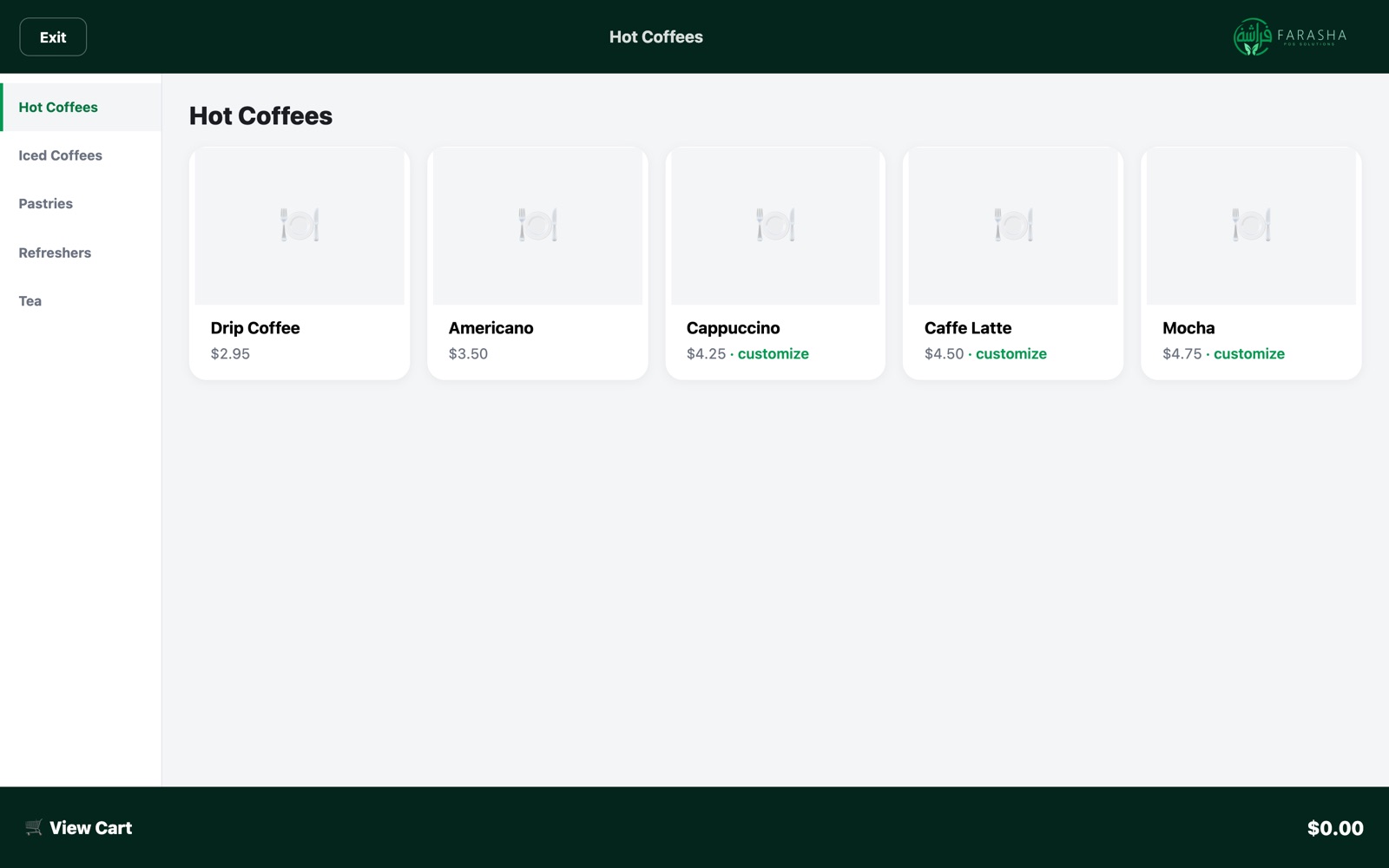
Counter register

Fast when the line is out the door.

Large tap tiles grouped the way you lay out your menu, with the choices a barista needs at hand.

  • Required choices, like milk, can't be skipped; extras are priced for you
  • Dine in or take out in one tap, with tables if you use them
  • Cash, card, split payments, tips and gift cards
  • Manual discounts you control in Back Office, with preset percentages
  • Refunds limited to shift managers and above
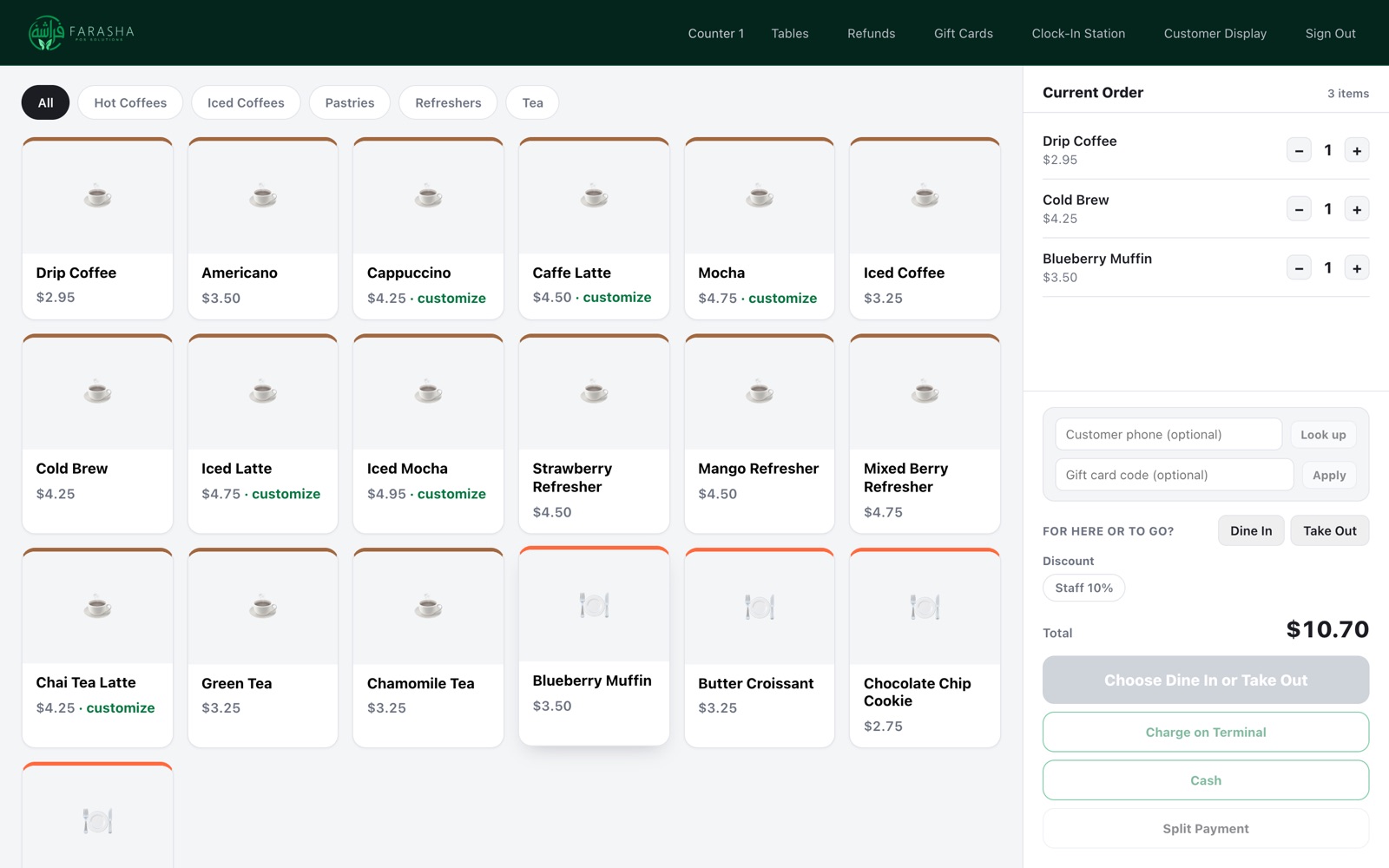
Counter register menu
Self-order kiosk

Let customers order themselves.

A kiosk takes the order while your team makes the drinks. It uses the same menu, prices and promotions as the register, so there's nothing to keep in sync.

  • Customers customize at their own pace
  • Join rewards with a phone number or by scanning a QR code
  • Orders go straight to the kitchen display
Self-order kiosk menu
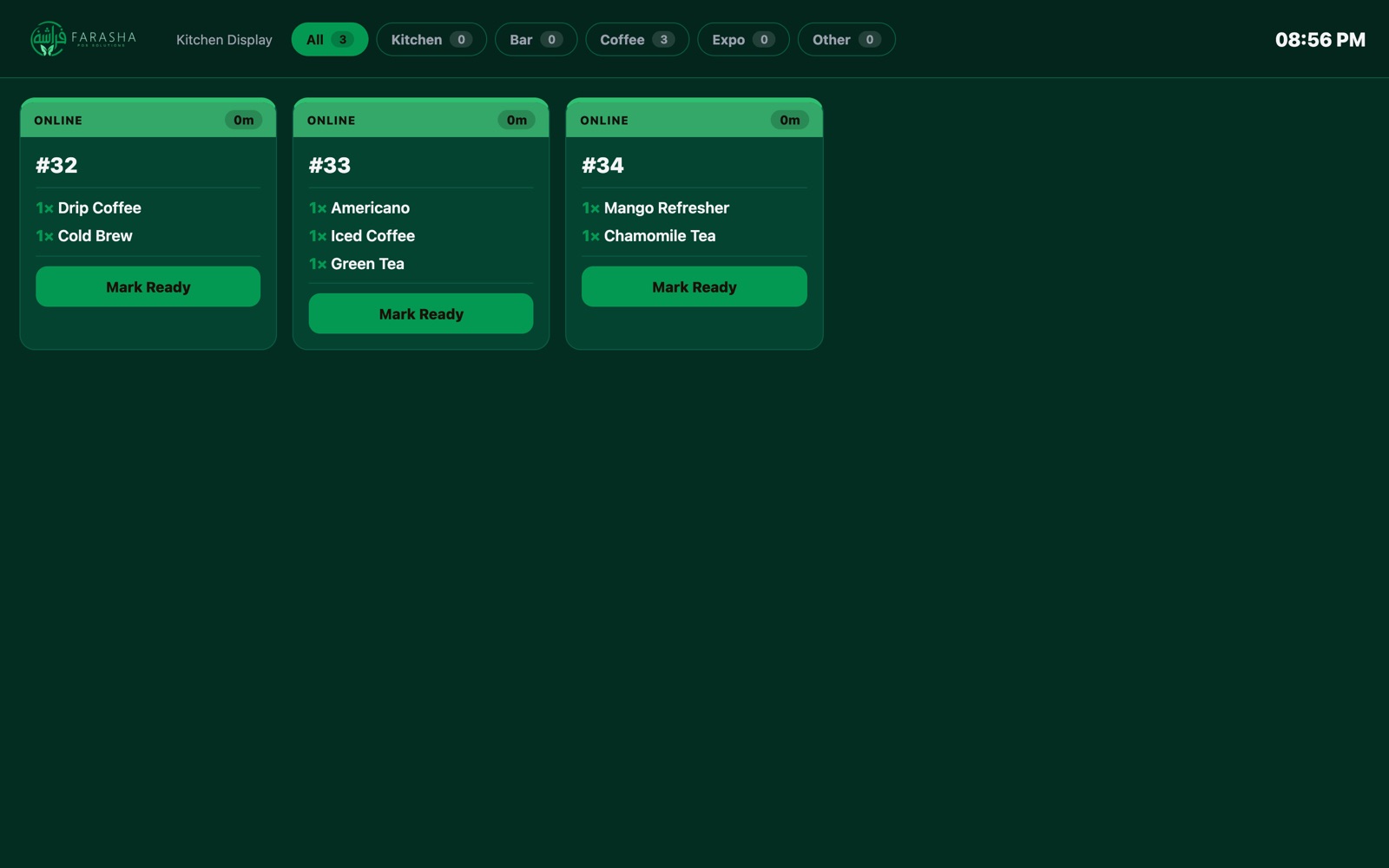
Kitchen display

The right ticket at the right station.

Coffee, kitchen and bar each see only what they make. Tickets carry a timer and a color for where the order came from.

  • Register, kiosk and online orders in one live view
  • One tap to mark ready, and customers can follow their order online
  • Scheduled orders appear only when it's time to start them
Kitchen display
Online ordering

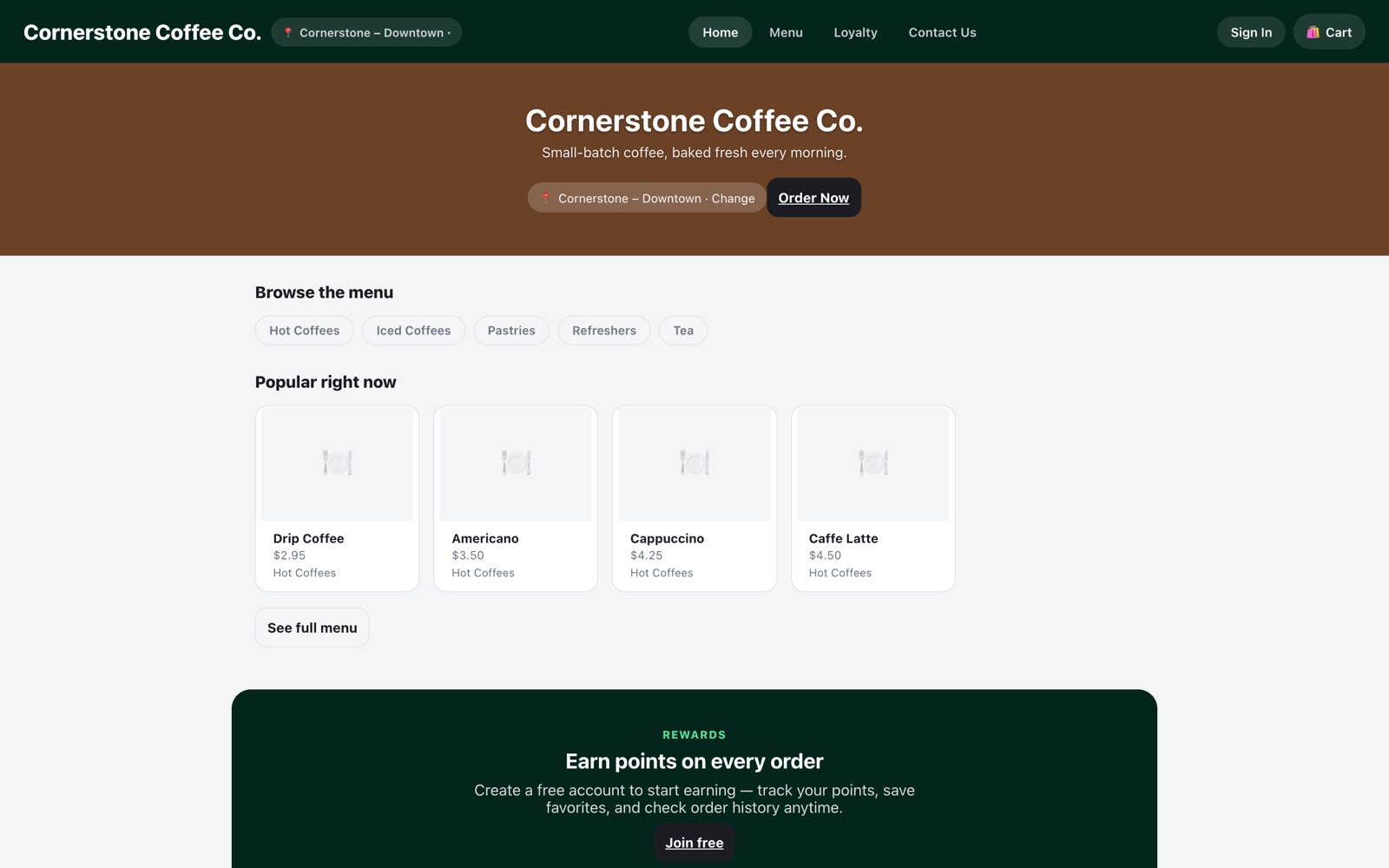
Your own website for pickup and delivery.

Branded with your logo, colors and photos, on your own web address. No marketplace logo, no one standing between you and your customer.

  • Opens on the closest location when the customer shares theirs, and switches in one tap
  • Pickup or delivery, now or scheduled for later
  • Customer accounts, order history, favorites and rewards
  • Hours, address, contact page and map per location

Open a demo ordering site

Online ordering website
Promotions & loyalty

Deals that start, stop and advertise themselves.

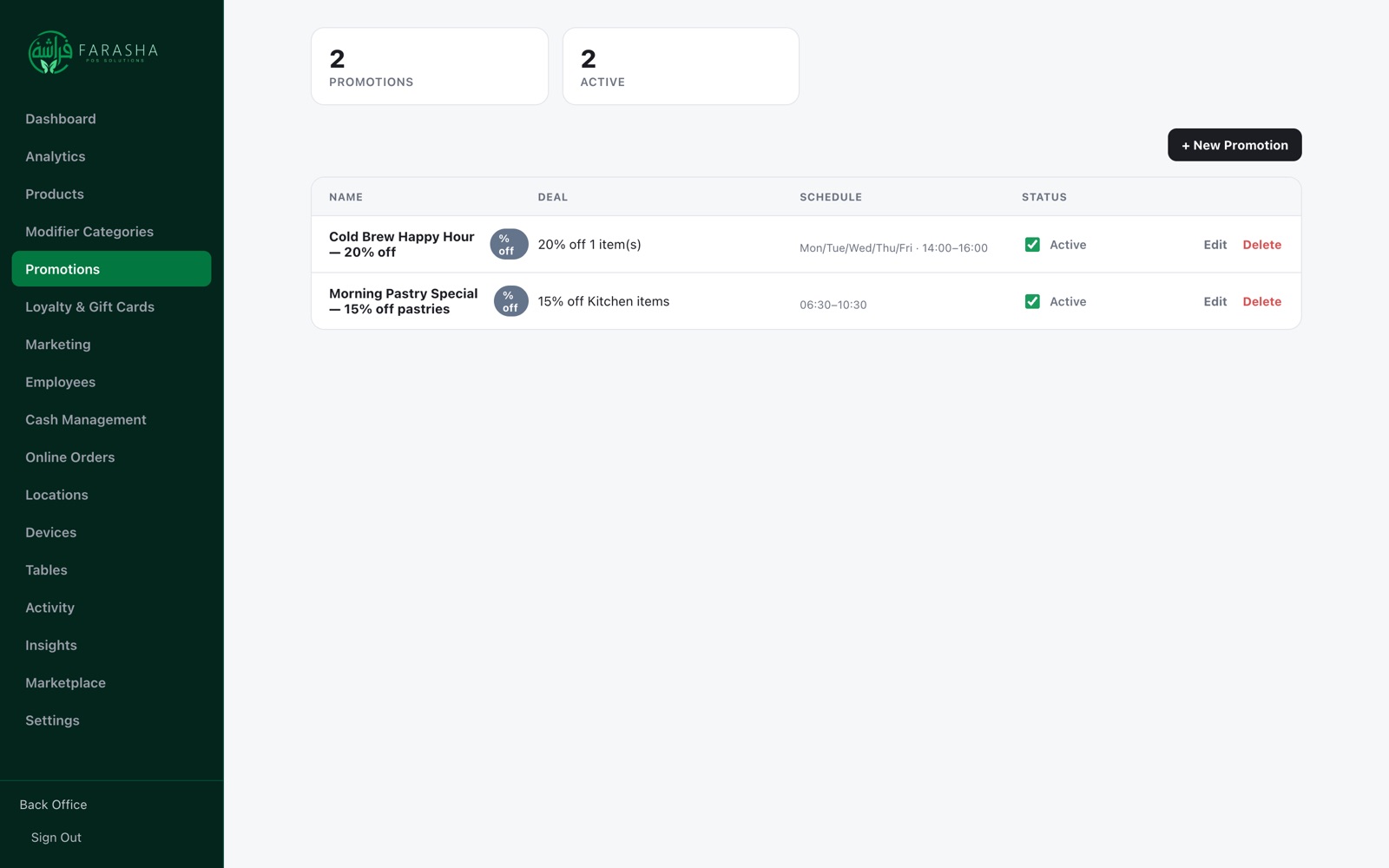
Build a promotion in Back Office, give it dates, and print its QR poster. Customers who scan it see the offer and order straight from the site.

  • Percent off, dollars off, buy-one-get-one and combo prices
  • Start and end dates, days of the week, happy-hour windows
  • Per item, per menu section or per location
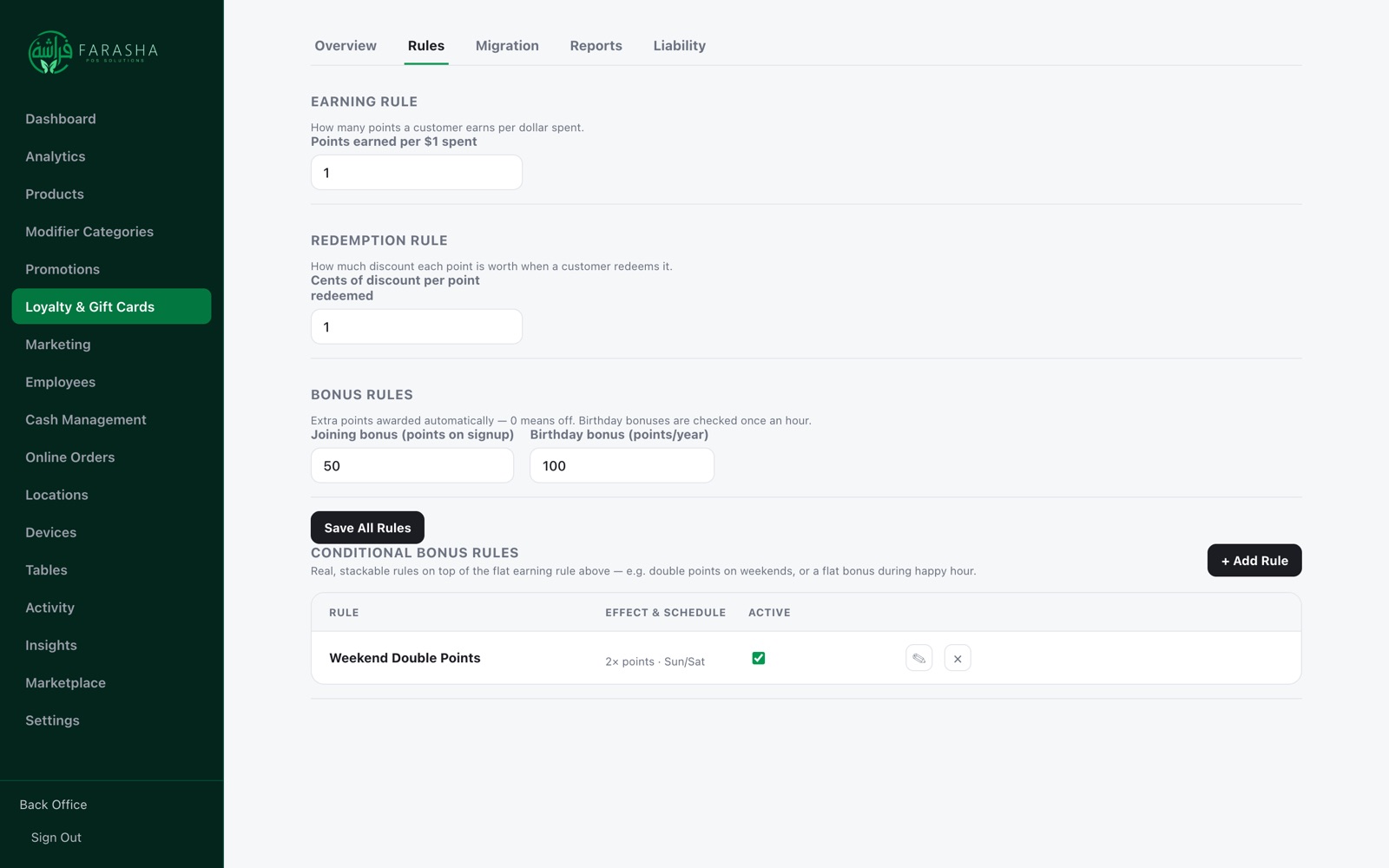
  • Points per dollar, sign-up and birthday bonuses, double-points rules
  • Gift cards sold and redeemed at the register
Back Office promotions list
Loyalty rules

Rewards your way, no code needed.

Decide how points are earned and what they're worth. Stack bonus rules like double points on weekends or a morning boost, and change them any time.

Back Office loyalty rules
Analytics

See what's selling, where, and who sold it.

Pick any date range and any location. Export to CSV for your accountant.

  • Sales by channel: register, kiosk and online
  • Order types: dine in, take out, pickup and delivery
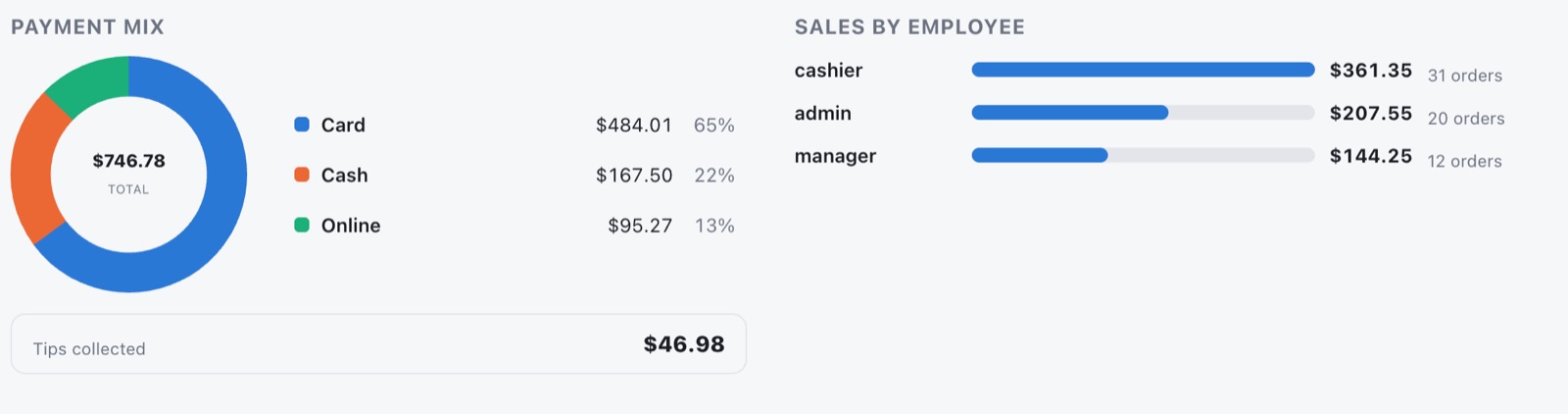
  • Payment mix and tips collected
  • Best sellers and sales by employee
Back Office analytics with payment mix and sales by employee
Locations & people

More shops, same control.

Managers see only their own location. On the floor, four roles keep the right actions with the right people, and every employee can clock in, front counter or kitchen.

  • Cashier, shift manager, manager and admin roles
  • PIN clock-in station for kitchen and other staff
  • Managers can correct or add a shift, with a reason on record
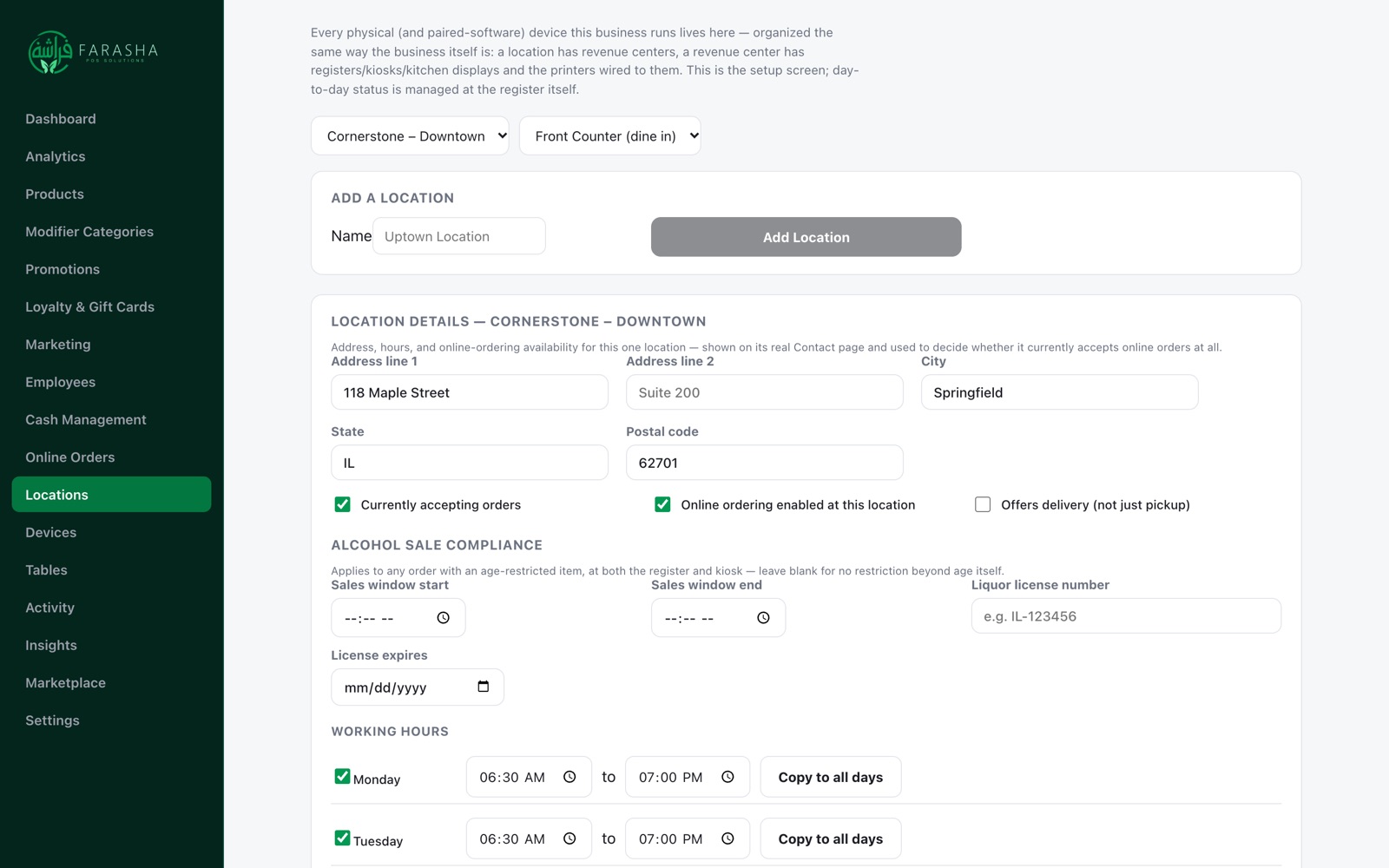
  • Hours, address and online ordering set per location
Back Office locations

Want to see it with your menu?

Tell us about your shops and we'll walk you through it.